How to Use Civic Saathi
Step-by-Step Guide to Report and Track Issues
Quick Tips for Success
📸 Quality Photos
Take clear, well-lit photos from multiple angles to provide complete evidence of the issue.
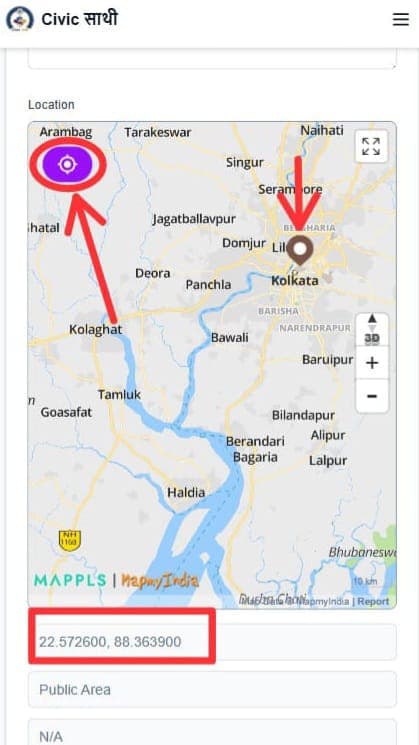
📍 Accurate Location
Ensure the location is precisely marked on the map for quick identification and action.
📝 Clear Description
Write detailed descriptions explaining the issue and its impact on the community.
Step-by-Step Process
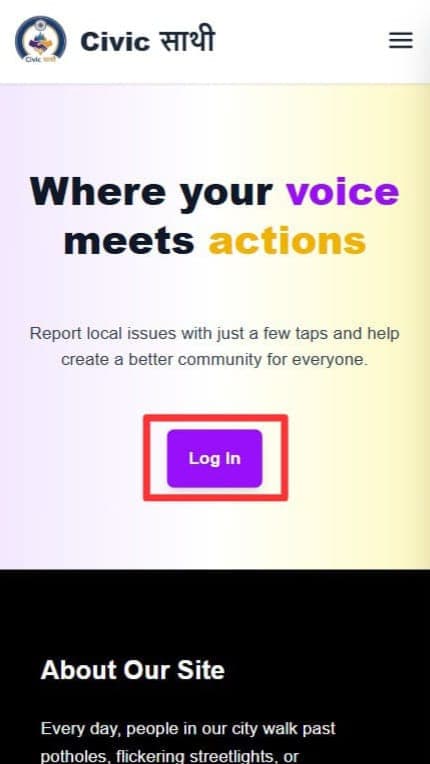
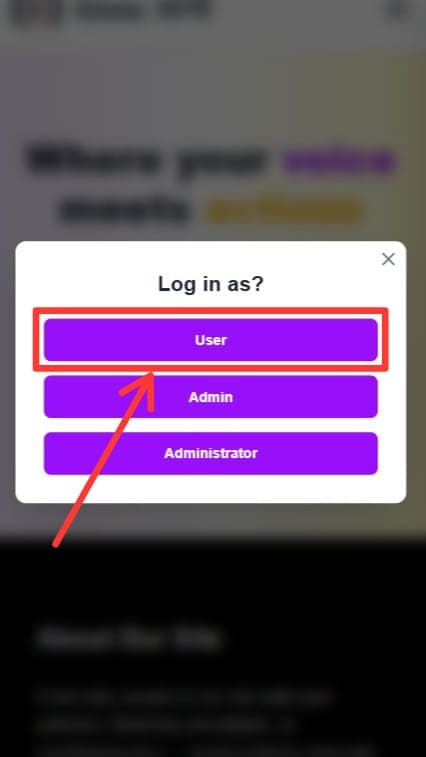
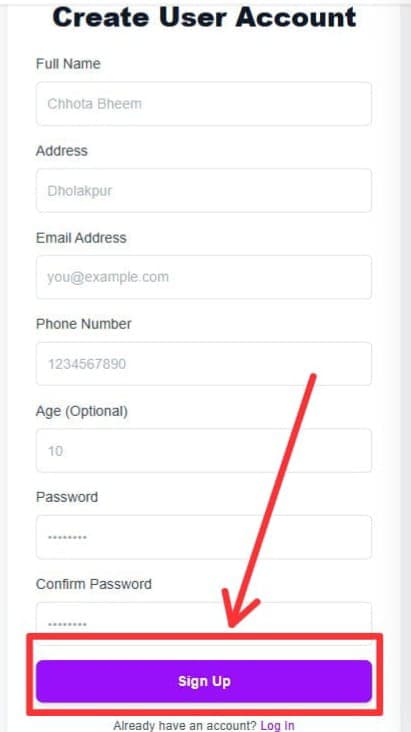
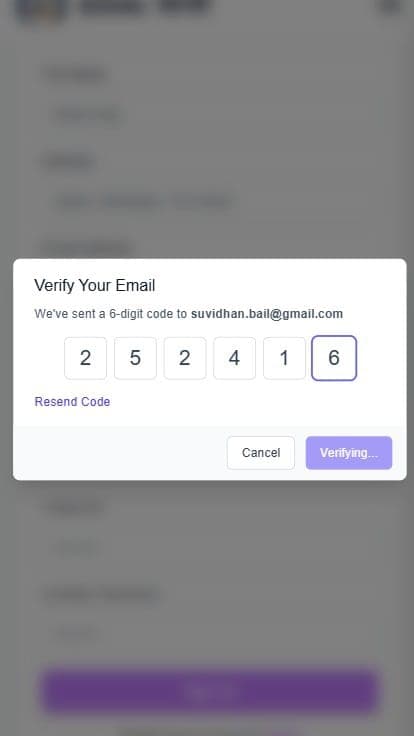
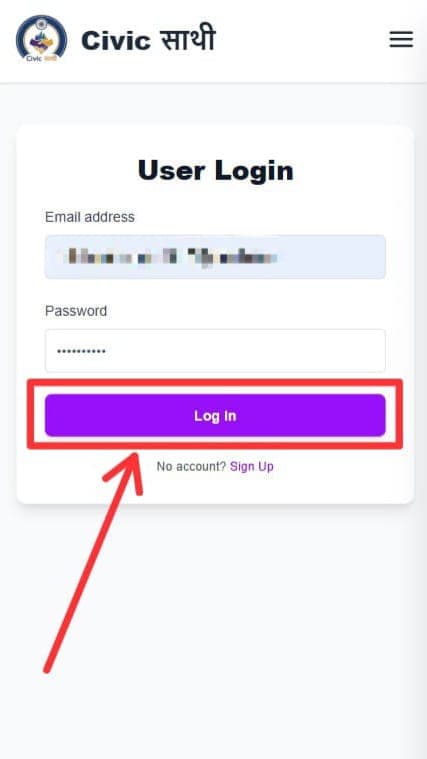
Sign Up or Log In
Create a new account or log in to your existing Civic Saathi account. Verify your email and phone number for a trusted profile.
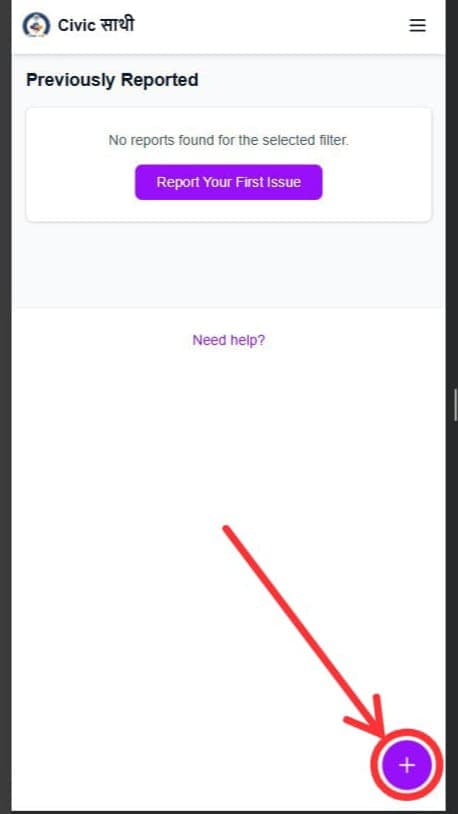
Navigate to Report Issue
From the dashboard, click on 'Add Report' or the '+' button to start reporting a new civic issue.
Fill in Issue Details
Enter a clear title and detailed description of the issue you've encountered.
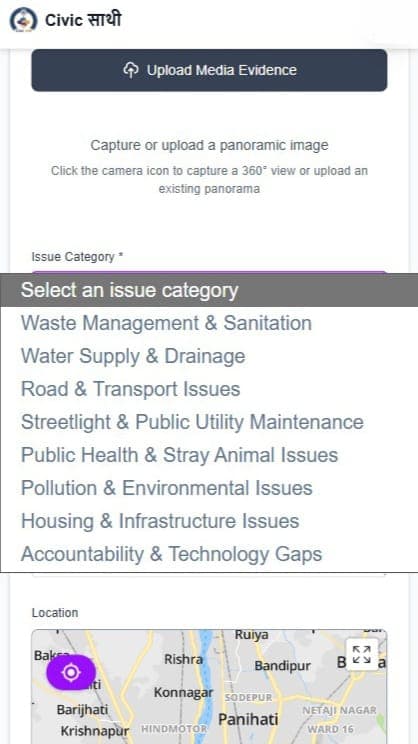
Select Issue Category
Choose the appropriate category (Pothole, Streetlight, Water Leak, etc.) for your issue.
Add Your Location
Allow the app to access your location or manually pin the exact location on the map.
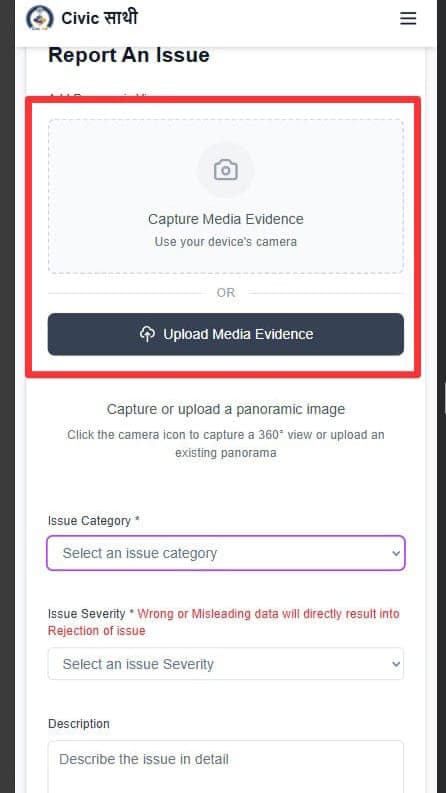
Capture Evidence
Take photos or videos of the issue to provide clear visual evidence.
Review Your Report
Double-check all information and photos before submitting your report.
Submit Your Report
Click submit to send your report to the authorities. You'll receive a confirmation and ticket ID.
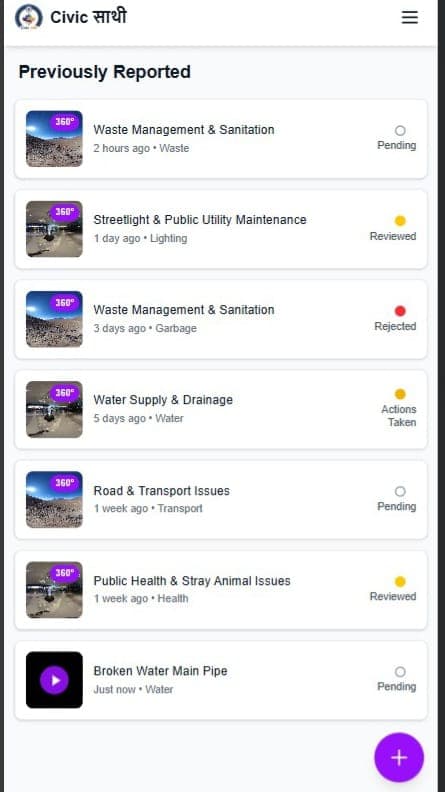
Track Your Issue
Monitor the progress of your reported issue in real-time through the dashboard.
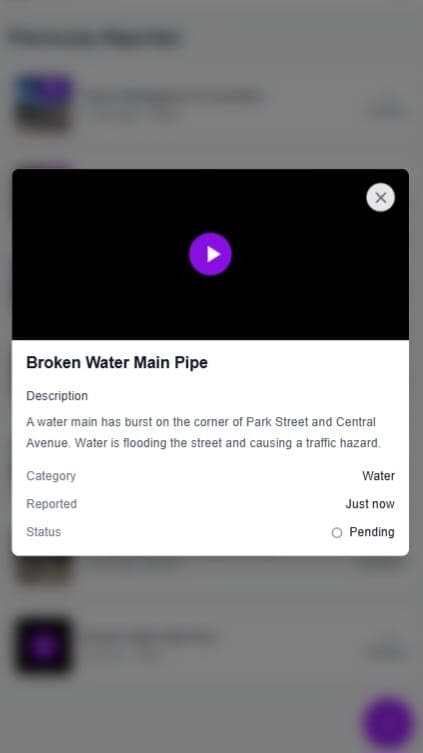
Receive Updates
Get notifications as authorities work on resolving your reported issue.
Issue Resolution
View the final status and photos of completed work on your reported issue.
Best Practices
✓ Do's
- ✓ Report issues promptly when discovered
- ✓ Provide accurate location information
- ✓ Include clear photos or videos
- ✓ Write detailed descriptions
- ✓ Track your report progress regularly
- ✓ Be respectful and professional
✗ Don'ts
- ✗ Submit false or misleading reports
- ✗ Provide vague location details
- ✗ Upload blurry or irrelevant photos
- ✗ Report private property issues
- ✗ Use the platform for complaints unrelated to civic issues
- ✗ Harass authorities or other users
Understanding Your Ticket
Ticket ID
Every report you submit receives a unique Ticket ID. Use this ID to track your issue and reference it in any communications with authorities.
Status Tracking
Your ticket progresses through various stages:
- Submitted: Report received
- Under Review: Authority examining the issue
- In Progress: Work has started
- Resolved: Issue has been fixed
Sample Ticket
Ticket ID: TKT-2024-001234
Issue: Pothole on Main Street
Status: In Progress
Reported: March 2, 2024
Expected: March 9, 2024
Frequently Asked Questions
How long does it take to resolve an issue?
Resolution time varies based on severity. High-priority safety issues are addressed within 24-48 hours, while routine maintenance may take 1-2 weeks.
Can I report multiple issues?
Yes! Each issue should be reported separately to ensure proper tracking and categorization.
What if my issue is not resolved?
You can follow up on your ticket, add updates, or contact the assigned authority through the ticket details.
Is my personal data safe?
Yes, we use enterprise-grade encryption and follow strict data protection policies to keep your information secure.
Ready to Report Your First Issue?
Join thousands of citizens making a difference in their communities.
Get Started Now